
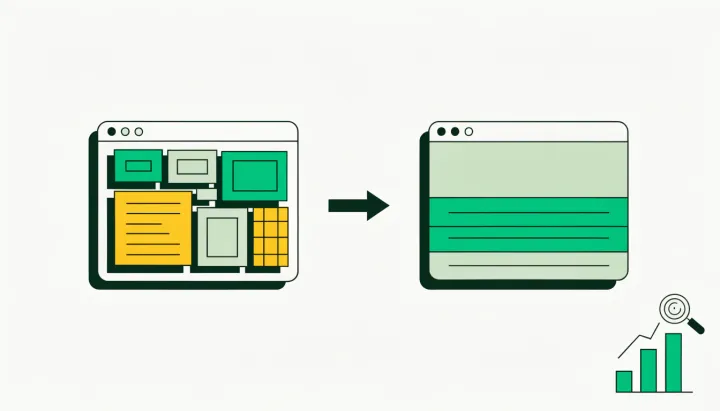
Short answer: to redesign a website without losing Google rankings, list every URL that gets traffic today, keep or improve the content on those pages, set up a 301 redirect for every URL that changes, and check Search Console and your call tracking in the weeks after launch. Most traffic drops after a redesign come from missing redirects or deleted content, not from the new design.
Use this website redesign checklist whether you hire someone or do it yourself. If you'd rather hand it off, that's exactly what our website redesign services cover.
Before the redesign: save what's working
- Export every URL. Pull a list from your sitemap, your website builder or a crawler. Include blog posts, service pages and old landing pages.
- Find the pages that matter. In Google Search Console, open Performance → Pages and note which pages get clicks and impressions. In Google Analytics, note the pages that lead to calls and form leads.
- Record the keywords each page ranks for. In Search Console, click a page, then Queries. These are the phrases you need to keep on the new version of that page.
- Save titles, meta descriptions and headings for your top pages. Don't throw away wording that already ranks.
- Back up the old site, including images and any form or booking settings.
- Note what's connected: Google Analytics, Search Console, Google Business Profile, call tracking, chat, booking tools and ad conversion tracking.
During the redesign: build it so Google can follow
- Keep URLs the same when you can. The safest redirect is the one you don't need.
- Map every old URL to a new one. Make a simple two-column list: old URL → new URL. Every page that had traffic needs a match on the new site.
- Use 301 redirects, not 302s, for anything that moves. A 301 tells Google the move is permanent and passes along the page's history.
- Keep (or improve) the content on pages that rank. A shorter, prettier page with half the information can lose its position.
- One H1 per page that says what the page is about, with the main keyword in it.
- Write unique titles and meta descriptions for every page.
- Add schema markup for your business, services and FAQs so search engines and AI tools understand the site.
- Make it fast on phones. Compress images to WebP, size them correctly and avoid heavy scripts. Aim for green Core Web Vitals.
- Make it accessible: readable contrast, alt text on images, labeled form fields and full keyboard navigation.
- Block the staging site from Google while you build, so the draft isn't indexed by accident.
Launch day checklist
- Remove any "noindex" setting or password from the live site.
- Test the redirect list: open a sample of old URLs and confirm each lands on the right new page with a 301.
- Submit the new sitemap.xml in Google Search Console.
- Check robots.txt isn't blocking pages you want found.
- Send a test through every form and confirm it arrives. Click every phone link on a real phone.
- Confirm Google Analytics and conversion tracking are recording visits, calls and leads.
- Update your Google Business Profile website link if the URL changed.
After launch: the first 30 days
- Watch Search Console weekly for crawl errors and "Not found (404)" pages. Redirect any you missed.
- Compare clicks and positions on your top pages against your notes from before the redesign. Small dips for a week or two are normal while Google re-crawls.
- Track calls and form leads, not just traffic. The redesign worked if more visitors are contacting you.
- Fix broken links inside the site and update important links from directories and social profiles.
Common redesign mistakes that cost rankings
| Mistake | What happens | Fix |
|---|---|---|
| No redirects | Old links and rankings point to 404 pages | 301-redirect every old URL to its closest new page |
| Cutting service pages | You stop ranking for those services | Keep one page per service, or merge with a redirect |
| Launching the staging "noindex" | Google drops the whole site | Check robots meta and robots.txt on launch day |
| Changing domains without a plan | Rankings reset | Redirect the old domain page by page and update Search Console |
| Heavy images and sliders | Slow phones, lower conversions | WebP images, no auto-sliders, test on a real phone |
Moving off Wix, GoDaddy or Squarespace
You can keep your domain when you leave a website builder. The domain points to the new host, and redirects handle any URLs that change. Builders often use URLs like /services-1 or /blank-3, so a redirect map matters even more. If your domain is registered through the builder, you can transfer it or simply change its DNS settings.
When to get help
If your site already brings in calls from Google, a careful redesign protects that income. Our website redesign service includes the URL inventory, redirect map, SEO setup, tracking and a launch check, and a Starter Website is $499 for up to 5 pages. Wondering what a redesign should cost? See how much a small business website costs.
Want to know what your current site is doing right and wrong first? Book a free website audit.
Frequently asked questions
Will a website redesign hurt my SEO?
It doesn't have to. Rankings usually drop after a redesign because of missing 301 redirects, deleted content or an accidental noindex setting. Follow a checklist and most sites keep or improve their positions.
What is a 301 redirect?
A 301 redirect permanently sends visitors and search engines from an old URL to a new one, and passes the old page's history to the new page.
How long do rankings take to recover after a redesign?
Small changes in positions for a week or two are normal while Google re-crawls the site. If traffic is still down after a month, check for missed redirects and missing content.
Can I keep my domain if I leave Wix or GoDaddy?
Yes. You keep the domain and point it to the new host, then redirect any URLs that change.
How much does a website redesign cost?
At Click and Co., a redesign on our Starter Website is $499 for up to 5 pages. Larger rebuilds of 6+ pages are a Custom Website, quoted from $999.